

Inkplate 5, 6, 10 and 6 Plus
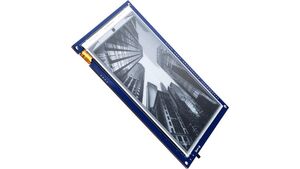
All-in-one e-paper display Inkplate 5, Inkplate 6, Inkplate 10 and Inkplate 6 Plus.
The Inkplate 5, 6, 10 and 6 Plus are powerful, Wi-Fi enabled ESP32 based six-inch e-paper displays - recycled from a Kindle e-reader. Its main feature is simplicity.
Learn more at Inkplate’s documentation website
# Example minimal configuration entry
mcp23017:  - id: mcp23017_hub    address: 0x20
display:- platform: inkplate  id: inkplate_display  greyscale: false  partial_updating: false  update_interval: 60s  model: inkplate_6
  ckv_pin: 32  sph_pin: 33  gmod_pin:    mcp23xxx: mcp23017_hub    number: 1  gpio0_enable_pin:    mcp23xxx: mcp23017_hub    number: 8  oe_pin:    mcp23xxx: mcp23017_hub    number: 0  spv_pin:    mcp23xxx: mcp23017_hub    number: 2  powerup_pin:    mcp23xxx: mcp23017_hub    number: 4  wakeup_pin:    mcp23xxx: mcp23017_hub    number: 3  vcom_pin:    mcp23xxx: mcp23017_hub    number: 5
WARNING
When using the Inkplate epaper module, the GPIO pin numbers above cannot be changed as they are hardwired within the module/PCB.
WARNING
Inkplate module cannot perform partial update if 3 bit mode is on. It just ignores the function call in that case.
Configuration variables
Section titled “Configuration variables”-
id (Optional, ID): Manually specify the ID used for code generation.
-
model (Optional, enum): Specify the model. Defaults to
inkplate_6.inkplate_6inkplate_10inkplate_6_plusinkplate_6_v2inkplate_5inkplate_5_v2
-
greyscale (Optional, boolean): Makes the screen display 3 bit colors. Defaults to
false -
partial_updating (Optional, boolean): Makes the screen update partially, which is faster, but leaves burnin. Defaults to
false -
custom_waveform (Optional, int): Sets a custom predefined waveform for the display. Accepts values from 1 to 4. Useful if the greyscale of the image seems washed. Inkplate10 ONLY. Defaults to
0 -
full_update_every (Optional, int): When partial updating is enabled, forces a full screen update after chosen number of updates. Defaults to
10 -
transform (Optional): Transform the display presentation.
- flip_y (Optional, boolean): Flip the screen on the Y axis. Defaults to
false - flip_x (Optional, boolean): Flip the screen on the X axis. Defaults to
false
- flip_y (Optional, boolean): Flip the screen on the Y axis. Defaults to
-
lambda (Optional, lambda): The lambda to use for rendering the content on the display. See Display Rendering Engine for more information.
-
update_interval (Optional, Time): The interval to re-draw the screen. Defaults to
5s. -
pages (Optional, list): Show pages instead of a single lambda. See Display Pages.
-
ckv_pin (Required, Pin): The CKV pin for the Inkplate display.
-
gmod_pin (Required, Pin): The GMOD pin for the Inkplate display.
-
gpio0_enable_pin (Required, Pin): The GPIO0 Enable pin for the Inkplate display.
-
oe_pin (Required, Pin): The OE pin for the Inkplate display.
-
powerup_pin (Required, Pin): The Powerup pin for the Inkplate display.
-
sph_pin (Required, Pin): The SPH pin for the Inkplate display.
-
spv_pin (Required, Pin): The SPV pin for the Inkplate display.
-
vcom_pin (Required, Pin): The VCOM pin for the Inkplate display.
-
cl_pin (Optional, Pin): The CL pin for the Inkplate display. Defaults to GPIO0.
-
le_pin (Optional, Pin): The LE pin for the Inkplate display. Defaults to GPIO2.
-
display_data_0_pin (Optional, Pin): The Data 0 pin for the Inkplate display. Defaults to GPIO4.
-
display_data_1_pin (Optional, Pin): The Data 1 pin for the Inkplate display. Defaults to GPIO5.
-
display_data_2_pin (Optional, Pin): The Data 2 pin for the Inkplate display. Defaults to GPIO18.
-
display_data_3_pin (Optional, Pin): The Data 3 pin for the Inkplate display. Defaults to GPIO19.
-
display_data_4_pin (Optional, Pin): The Data 4 pin for the Inkplate display. Defaults to GPIO23.
-
display_data_5_pin (Optional, Pin): The Data 5 pin for the Inkplate display. Defaults to GPIO25.
-
display_data_6_pin (Optional, Pin): The Data 6 pin for the Inkplate display. Defaults to GPIO26.
-
display_data_7_pin (Optional, Pin): The Data 7 pin for the Inkplate display. Defaults to GPIO27.
Complete Inkplate 6 example
Section titled “Complete Inkplate 6 example”The following is a complete example YAML configuration that does a few things beyond the usual Wi-Fi, API, and OTA configuration.
# Example configuration entryesphome:  name: inkplate
esp32:  board: esp-wrover-kit  cpu_frequency: 240MHz
logger:
wifi:  ssid: !secret wifi_ssid  password: !secret wifi_password  ap: {}
captive_portal:
ota:  platform: esphome
api:
switch:  - platform: restart    name: "Inkplate Reboot"    id: reboot
  - platform: gpio    id: battery_read_mosfet    pin:      mcp23xxx: mcp23017_hub      number: 9      inverted: true
  - platform: template    name: "Inkplate Greyscale mode"    lambda: return id(inkplate_display).get_greyscale();    turn_on_action:      - lambda: id(inkplate_display).set_greyscale(true);    turn_off_action:      - lambda: id(inkplate_display).set_greyscale(false);
  - platform: template    name: "Inkplate Partial Updating"    lambda: return id(inkplate_display).get_partial_updating();    turn_on_action:      - lambda: id(inkplate_display).set_partial_updating(true);    turn_off_action:      - lambda: id(inkplate_display).set_partial_updating(false);
sensor:  - platform: adc    id: battery_voltage    update_interval: never    attenuation: 12db    pin: 35  - platform: template    name: "Inkplate Battery Voltage"    lambda: |-      id(battery_read_mosfet).turn_on();      delay(1);      float adc = id(battery_voltage).sample();      id(battery_read_mosfet).turn_off();      return adc;    filters:      - multiply: 2
i2c:
mcp23017:  - id: mcp23017_hub    address: 0x20
binary_sensor:  - platform: status    name: "Inkplate Status"    id: system_status
  - platform: gpio    name: "Inkplate Touch Pad 1"    pin:      mcp23xxx: mcp23017_hub      number: 10  - platform: gpio    name: "Inkplate Touch Pad 2"    pin:      mcp23xxx: mcp23017_hub      number: 11  - platform: gpio    name: "Inkplate Touch Pad 3"    pin:      mcp23xxx: mcp23017_hub      number: 12
time:  - platform: sntp    id: esptime
font:  - file: "Helvetica.ttf"    id: helvetica_96    size: 96  - file: "Helvetica.ttf"    id: helvetica_48    size: 48
psram:
display:- platform: inkplate  id: inkplate_display  greyscale: false  partial_updating: false  update_interval: 60s
  ckv_pin: 32  sph_pin: 33  gmod_pin:    mcp23xxx: mcp23017_hub    number: 1  gpio0_enable_pin:    mcp23xxx: mcp23017_hub    number: 8  oe_pin:    mcp23xxx: mcp23017_hub    number: 0  spv_pin:    mcp23xxx: mcp23017_hub    number: 2  powerup_pin:    mcp23xxx: mcp23017_hub    number: 4  wakeup_pin:    mcp23xxx: mcp23017_hub    number: 3  vcom_pin:    mcp23xxx: mcp23017_hub    number: 5
  lambda: |-    it.fill(COLOR_ON);
    it.print(100, 100, id(helvetica_48), COLOR_OFF, TextAlign::TOP_LEFT, "ESPHome");
    it.strftime(400, 300, id(helvetica_48), COLOR_OFF, TextAlign::CENTER, "%Y-%m-%d", id(esptime).now());    it.strftime(400, 400, id(helvetica_96), COLOR_OFF, TextAlign::CENTER, "%H:%M", id(esptime).now());
    if (id(system_status).state) {      it.print(700, 100, id(helvetica_48), COLOR_OFF, TextAlign::TOP_RIGHT, "Online");    } else {      it.print(700, 100, id(helvetica_48), COLOR_OFF, TextAlign::TOP_RIGHT, "Offline");    }
Inkplate 6 Plus Touchscreen
Section titled “Inkplate 6 Plus Touchscreen”The Inkplate 6 Plus has a built in touchscreen supported by ESPHome. Note you need to enable pin 12 on the mcp23017 to enable the touchscreen Below is a config example with touchscreen power switch:
switch:  - platform: gpio    name: 'Inkplate Touchscreen Enabled'    restore_mode: ALWAYS_ON    pin:      mcp23xxx: mcp23017_hub      number: 12      inverted: true
touchscreen:  - platform: ektf2232    interrupt_pin: GPIO36    rts_pin:      mcp23xxx: mcp23017_hub      number: 10    on_touch:      - logger.log:          format: "touch x=%d, y=%d"          args: ['touch.x', 'touch.y']
Inkplate 6 Plus Backlight
Section titled “Inkplate 6 Plus Backlight”The Inkplate 6 Plus has a built in backlight supported by ESPHome. Below is a config example:
power_supply:  - id: backlight_power    keep_on_time: 0.2s    enable_time: 0s    pin:      mcp23xxx: mcp23017_hub      number: 11
output:  - platform: mcp47a1    id: backlight_brightness_output    power_supply: backlight_power
light:  - platform: monochromatic    output: backlight_brightness_output    id: backlight    default_transition_length: 0.2s    name: '${friendly_name} Backlight'
Inkplate 6 v2
Section titled “Inkplate 6 v2”The Inkplate 6 v2 has a slightly different configuration. The main difference is that it is using pca6416a instead of the mcp23017. Below is a config example:
# Example minimal configuration entrypca6416a:  - id: pca6416a_hub    address: 0x20
display:- platform: inkplate  id: inkplate_display  greyscale: true  partial_updating: false  update_interval: never  model: inkplate_6_v2
  ckv_pin: 32  sph_pin: 33  gmod_pin:    pca6416a: pca6416a_hub    number: 1  gpio0_enable_pin:    pca6416a: pca6416a_hub    number: 8  oe_pin:    pca6416a: pca6416a_hub    number: 0  spv_pin:    pca6416a: pca6416a_hub    number: 2  powerup_pin:    pca6416a: pca6416a_hub    number: 4  wakeup_pin:    pca6416a: pca6416a_hub    number: 3  vcom_pin:    pca6416a: pca6416a_hub    number: 5
Inkplate 5
Section titled “Inkplate 5”The Inkplate 5 has nearly the same configuration as inkplate 6 v2. Below is a config example:
# Example minimal configuration entrypca6416a:  - id: pca6416a_hub    address: 0x20
display:- platform: inkplate  id: inkplate_display  greyscale: true  partial_updating: false  update_interval: never  model: inkplate_5 # or inkplate_5_v2
  ckv_pin: 32  sph_pin: 33  gmod_pin:    pca6416a: pca6416a_hub    number: 1  gpio0_enable_pin:    pca6416a: pca6416a_hub    number: 8  oe_pin:    pca6416a: pca6416a_hub    number: 0  spv_pin:    pca6416a: pca6416a_hub    number: 2  powerup_pin:    pca6416a: pca6416a_hub    number: 4  wakeup_pin:    pca6416a: pca6416a_hub    number: 3  vcom_pin:    pca6416a: pca6416a_hub    number: 5
Inkplate 10
Section titled “Inkplate 10”The Inkplate 10 has a configuration similar to 5 and 6, except it has 2 expanders and the battery read MOSFET is not inverted. Also, some versions have an embedded RTC to aid in clock sync. Below is a config example:
time:  - platform: pcf85063    id: esptime    # repeated synchronization is not necessary unless the external RTC    # is much more accurate than the internal clock    update_interval: never  - platform: homeassistant    # instead try to synchronize via network repeatedly ...    on_time_sync:      then:        # ... and update the RTC when the synchronization was successful        pcf85063.write_time:
pca6416a:  - id: pca6416a_hub    address: 0x20    # Primary expander for display control and additional I/O  - id: pca6416a_hub2    address: 0x21    # Secondary expander for additional I/O
switch:  - platform: gpio    id: battery_read_mosfet    pin:      pca6416a: pca6416a_hub      number: 9
sensor:  - platform: adc    id: battery_voltage    update_interval: never    attenuation: 12db    pin: 35  - platform: template    name: "Inkplate Battery Voltage"    unit_of_measurement: "V"    accuracy_decimals: 3    lambda: |-      // Enable MOSFET to connect battery voltage divider      id(battery_read_mosfet).turn_on();      // Wait for voltage to stabilize      delay(5);      // Sample ADC value      float adc = id(battery_voltage).sample();      // Disable MOSFET to save power      id(battery_read_mosfet).turn_off();      return adc;    filters:      - multiply: 2 # Compensate for voltage divider (1:2 ratio)
display:  - platform: inkplate    id: inkplate_display    greyscale: true    partial_updating: false    update_interval: never    model: inkplate_10
    ckv_pin: 32    sph_pin: 33    gmod_pin:      pca6416a: pca6416a_hub      number: 1    gpio0_enable_pin:      pca6416a: pca6416a_hub      number: 8    oe_pin:      pca6416a: pca6416a_hub      number: 0    spv_pin:      pca6416a: pca6416a_hub      number: 2    powerup_pin:      pca6416a: pca6416a_hub      number: 4    wakeup_pin:      pca6416a: pca6416a_hub      number: 3    vcom_pin:      pca6416a: pca6416a_hub      number: 5