

APC Proteous Gate Controller
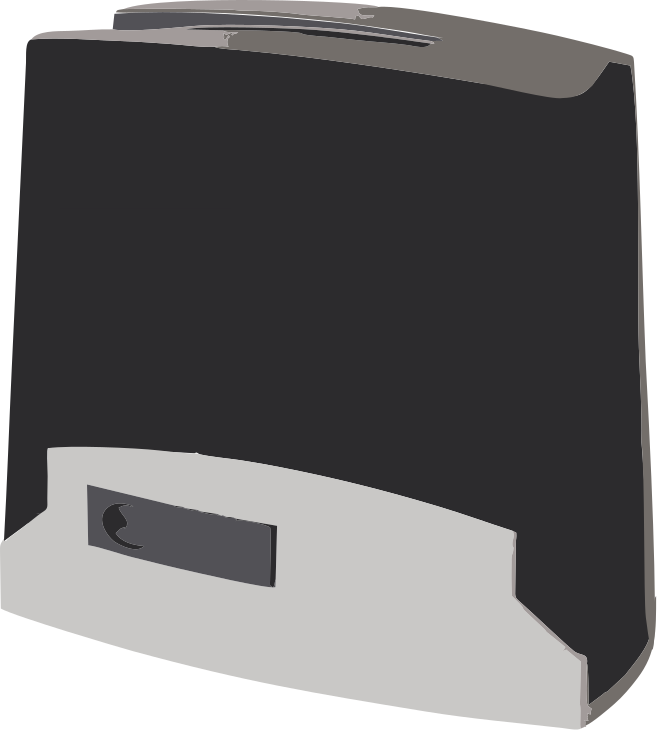
The apc_proteous cover platform allows you to control an APC gate motor
controller. It should work with any APC gate controller that accepts the
Infinity 2.0 WiFi controller, including:
- APC Proteous Sliding Gate Opener Systems
- APC Logico24 Swing Gate Opener Systems
- APC Able Sliding Gate Openers
- APC Able Swing Gate Openers
The controller is driven over a serial connection, so a
UART bus component is required. The UART must be set to
9600 baud, 8 data bits, no parity and 1 stop bit (9600 8N1), with both tx_pin
and rx_pin connected.
The component polls the controller for its status and reports the gate position (0–100%) and movement back to the frontend, so the published state always reflects what the controller reports rather than an assumed state.
# Example configuration entryuart:  - id: gate_uart    baud_rate: 9600    tx_pin: GPIOXX    rx_pin: GPIOXX
cover:  - platform: apc_proteous    id: gate    name: Gate    device_class: gate
Configuration variables
Section titled “Configuration variables”- uart_id (Optional, ID): The ID of the UART bus connected to the controller. Required if multiple UART buses are defined.
- update_interval (Optional, Time): How
often to poll the controller for its status. A partial position is reached by stopping
when a poll reports it, so a longer interval means a larger overshoot. Defaults to
500ms. - All other options from Cover.
Hardware Connection
Section titled “Hardware Connection”The controller exposes its serial link on the connector marked INTERFACE PORT (it may also be labeled ADI PORT).
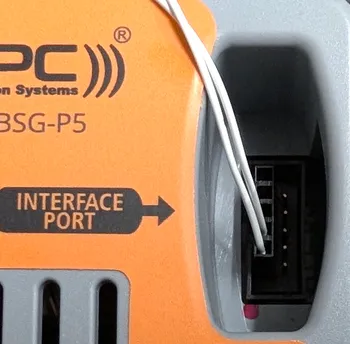
Connect the ESP’s UART to this port: the ESP’s TX and RX lines and a common
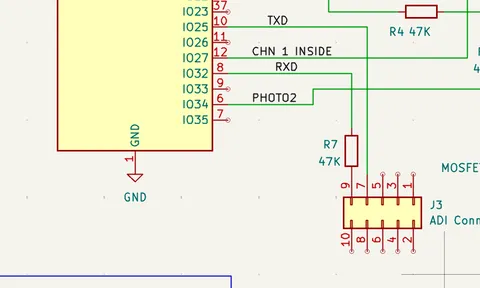
ground. A 47 kΩ series resistor must be fitted in the RX line; without
it the controller can fail to start on power-up. The example schematic below
uses GPIO25 for TX (TXD) and GPIO32 for RX (RXD); any UART-capable pins
will do, so set tx_pin and rx_pin to match your wiring.
Position Control
Section titled “Position Control”The controller reports the gate position, so the cover supports open, close, stop and toggle commands as well as moving to a partial position. When a target position between fully open and fully closed is requested, the component drives the gate in the appropriate direction and sends a stop command once the polled position reaches the target.