

SH1122 OLED Display
sh1122_spi Component
Section titled “sh1122_spi Component”The sh1122_spi display platform allows you to use SH1122
(datasheet) 256x64 pixel, 16 level greyscale
OLED displays with ESPHome. This component is for displays connected via the 4-wire SPI bus.
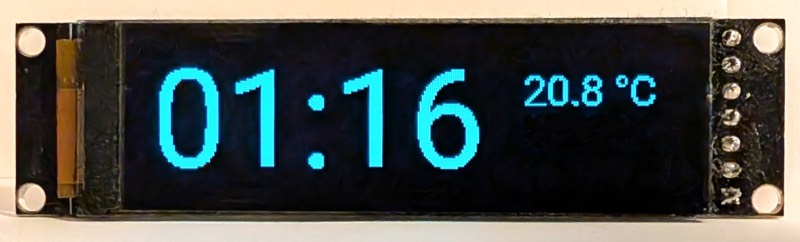
Connect CLK, DIN and DC to pins on your ESP. CS and RST are optional: tie CS low when the display is the only device on the SPI bus, and leave RST unconnected if the module has its own reset circuit. For power, connect VCC to 3.3V and GND to GND.
# Example configuration entryspi:  clk_pin: GPIOXX  mosi_pin: GPIOXX
display:  - platform: sh1122_spi    reset_pin: GPIOXX    cs_pin: GPIOXX    dc_pin: GPIOXX    lambda: |-      it.print(0, 0, id(font), "Hello World!");
Configuration Variables
Section titled “Configuration Variables”- dc_pin (Required, Pin Schema): The DC pin.
- reset_pin (Optional, Pin Schema): The RESET pin.
- cs_pin (Optional, Pin Schema): The CS pin.
- model (Optional): The model of the display. At present, only
SH1122 256x64exists, which is the default. - brightness (Optional, percentage): The initial brightness of the display. Defaults to
100%. - lambda (Optional, lambda): The lambda to use for rendering the content on the display. See Display Rendering Engine for more information.
- update_interval (Optional, Time): The interval to re-draw the screen.
Defaults to
1s. - pages (Optional, list): Show pages instead of a single lambda. See Display Pages.
- id (Optional, ID): Manually specify the ID used for code generation.
Lambda Calls
Section titled “Lambda Calls”From lambdas, you can call the following methods on the display:
set_brightness(float): set the brightness from0.0to1.0.turn_on()andturn_off(): switch the panel on or off;is_on()returns the current state.
on_...: - lambda: |- id(my_display).set_brightness(0.5);